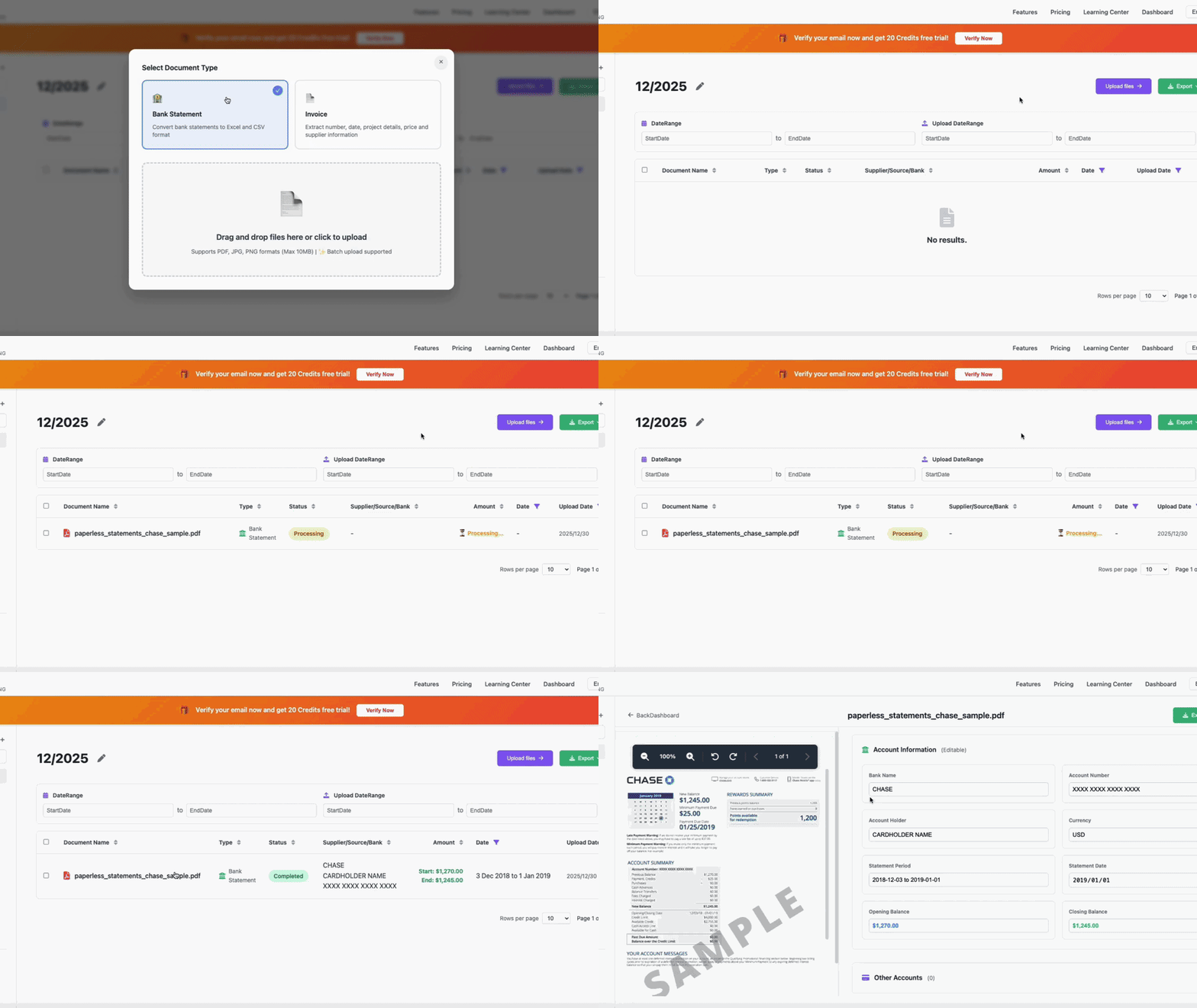
🎥 LIVE DEMONSTRATION
See VaultCaddy in action with a Chase Bank statement
⚡ 3s
Average Processing
🎯 98%
Accuracy Rate
💰 $5.59
Starting From /Month
AI-powered PDF to Excel/QuickBooks converter with 98% accuracy.
No manual data entry. No templates. Just fast, accurate results.
Built specifically for Chase Bank statements
Our AI is specifically trained on Chase Bank formats. Handles checking, savings, credit cards, and business accounts with industry-leading precision.
Convert your Chase PDF to Excel/QuickBooks in just 3 seconds. No waiting, no queues, no manual work. Batch upload supported.
Export to Excel, CSV, QuickBooks (QBO), or Xero. Pre-formatted and ready to import into your accounting software.
AES-256 encryption, SOC 2 Type II certified, GDPR compliant. . Zero data breaches in 3+ years.
Upload 10, 50, or 100+ statements at once. Process all your Chase accounts in minutes instead of hours.
Professional accounting automation team. Email support included in all plans. Priority support for annual subscribers.
Convert Chase statements in 4 simple steps
Drag and drop your PDF, JPG, or PNG files. We support all Chase account types including checking, savings, credit cards, and business accounts. Batch upload available.
Our AI engine, specifically trained on Chase Bank formats, automatically extracts all transactions, dates, amounts, and descriptions with 98% accuracy in just 3 seconds.
Choose your preferred format: Excel (XLSX), CSV, QuickBooks (QBO), or Xero. Our exports are pre-formatted and ready to import without any manual adjustments.
Review the extracted data in our dashboard. Make any necessary adjustments, then download or directly sync to your accounting software. All .
Save 20% with annual billing
Billed $46 annually (save 20%)
Everything you need to know about Chase Bank statement conversion