Instantly convert PDF/CSV bank statements to Sage 50 & Sage Accounting format.
Supporting all major banks in UK 🇬🇧, US 🇺🇸, and Canada 🇨🇦
Why pay 10-15x more? Get enterprise-grade features at a fraction of the cost.
The most affordable, accurate, and fastest bank statement converter in the market
Advanced AI technology extracts data with 98% accuracy from any bank statement format - PDF, scanned images, or photos
Convert bank statements to Sage CSV format in just 3 seconds, not hours. Save time, reduce errors
Your data is encrypted with 256-bit SSL and automatically deleted after 24 hours. We never store your financial information
$2.88/month (annual) or $5.59/month. 15x cheaper than competitors. Free 20-page trial, no credit card required!
Perfect format for direct import into Sage with DD/MM/YYYY dates, Debit/Credit columns, and BP/BR codes
Handle multi-page PDFs and batch process multiple statements effortlessly. Perfect for month-end reconciliation
Try it completely free with 20 pages, no credit card needed. See the quality before you pay anything
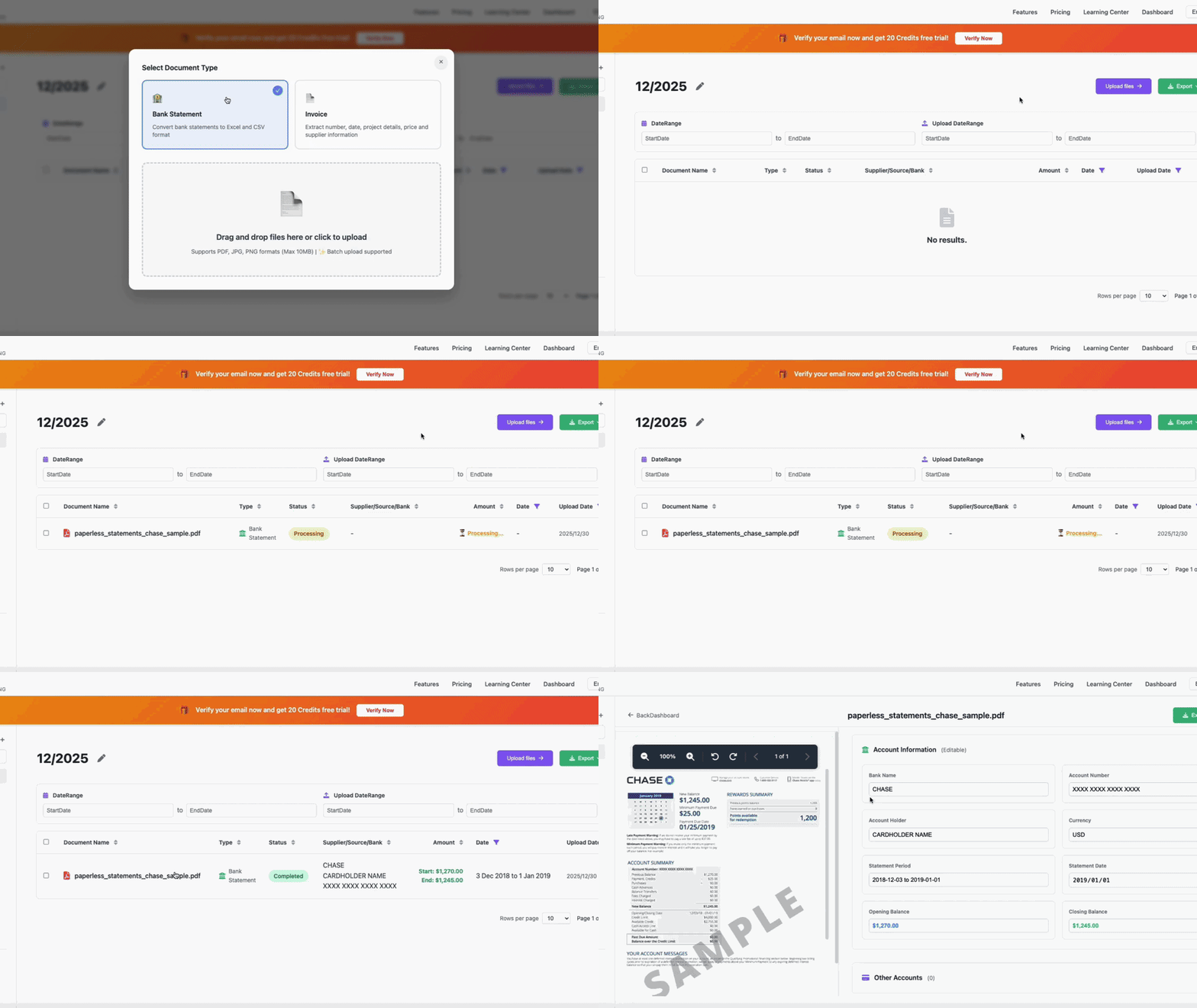
Convert your bank statements to Sage format in 4 simple steps
Upload your bank statement PDF, JPG, PNG, or existing CSV from any device or bank
Our AI extracts all transaction data with 98% accuracy in just 3 seconds
Get your Sage-compatible CSV file with perfect formatting
Import directly into Sage and start reconciling immediately
Watch how VaultCaddy converts a bank statement to Sage format in 3 seconds
A perfectly formatted Sage CSV file with Date (DD/MM/YYYY), Type (BP/BR), Account Ref, Description, Debit, Credit, and Reference fields. Ready for instant import into Sage 50 or Sage Accounting.
Works with 100+ banks worldwide. Upload any bank statement format!
We offer the most affordable pricing in the market:
Compare: Other tools charge $29-$39/month. You save $313-433 per year with VaultCaddy!
Yes! You get a completely free 20-page trial with no credit card required. After the trial, choose the $2.88/month annual plan (save $313/year vs competitors) or the $5.59/month monthly plan for flexibility.
We believe powerful tools should be affordable for everyone. By using:
We can offer better quality at 10-15x lower prices than competitors. Our mission is to make professional accounting tools accessible to every business.
Sage CSV format is the standardized file format that Sage accepts for importing bank transactions. It includes fields like Date (DD/MM/YYYY), Type (BP/BR), Account Ref, Description, Debit, Credit, and Reference. VaultCaddy automatically converts your bank statements to this exact format.
After downloading your converted CSV file from VaultCaddy: 1) Log into Sage, 2) Go to Bank → Import Transactions, 3) Select your bank account, 4) Upload the CSV file, 5) Sage will automatically process transactions.
We support all common file formats:
Our AI can extract data from scanned PDFs, photos, and even handwritten bank statements with 98% accuracy.
Absolutely! Security is our top priority:
Your privacy is guaranteed. We process your files and automatically delete them. We never store or share your financial information.
Yes! VaultCaddy supports batch processing. You can:
Our AI processes bank statements in approximately 3 seconds per page. A typical 5-page bank statement takes only 15 seconds from upload to download. That's 10x faster than manual data entry!
Join 10,000+ accountants and businesses using VaultCaddy.
Start FREE trial now - no credit card required!
No credit card required • 20 pages free • Cancel anytime • 98% accuracy guaranteed